
2025 Waec Authentic Data Processing Answers

Welcome to “EXAMRUNZ.COM” For Waec 2025 Data
Processing Questions & Answers
- CLICK HERE FOR DATA PROCESSING OBJECTIVES QUESTION
- CLICK HERE FOR DATA PROCESSING OBJECTIVES QUESTION
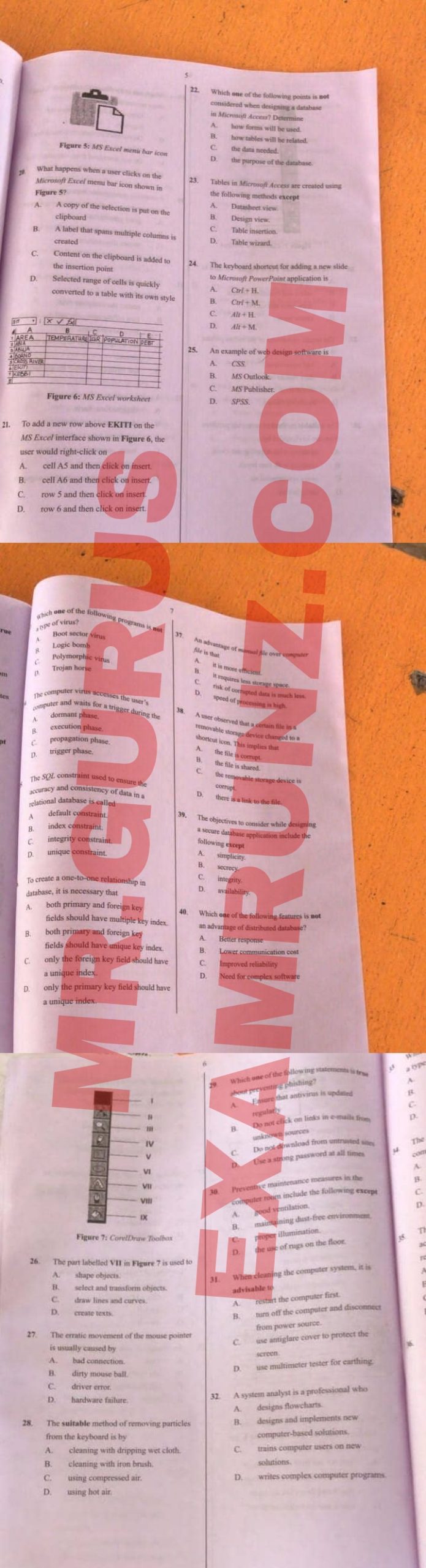

DATA PROCESSING – OBJ
01-10: BDDACCADBB
11-20: ACCBBCBBBB
21-30: CCDBCBBCCD
31-40: ABCBCACCDA
DATA PROCESSING – THEORY
Data processing: Refers to the series of operations
performed on data to extract, transform, and load
information into a useful and meaningful form. Ilt involves
manipulating and analyzing data to produce meaningful
results, such as reports, summaries, or forecasts
(1aii)
Data collation refers to the process of gathering, collecting.
and organizing data from various sources into a single,
unified view. It involves aggregating data from different
places, such as databases, files, or spreadsheets, to create a
comprehensive dataset.
(1b)
The Data Processing Cycle, also known as the Information
Processing Cycle
(1c)
(i)Speed
(iDAccuracy
(il)Capacity
OR
1. (a) Explain the following terms:
(i) Data processing?
Data processing is the collection and manipulation of data
to produce meaningful information. It involves operations
such as sorting, calculating, classifying, and summarizing
data to support decision-making.
(i) Data collation:
Data collation is the process of gathering and organizing
data from different sources into a logical and usable format,
It helps in preparing data for analysis or further processing,
(b) Describe Data Processing Cycle:
The data processing cycle consists of the steps involved in
transforming raw data into useful information. The main
stages include:
1. Input: Collecting and entering data into the system
2. Processing: Performing operations on the data like
calculations or comparisons
3. Storage: Saving the processed data for future use.
4. Output: Presenting the processed data in a readable
format such as reports or graphs.
(c) State four benefits of the computer as a tool for
processing data:
1. Speed: Computers process large amounts of data quickly
and efficiently.
2. Accuracy: Computers reduce human errors and increase
the accuracy of results,
3. Storage: They can store vast amounts of data in a small
physical space
4. Automation: Computers can automate repetitive tasks,
saving time and effort
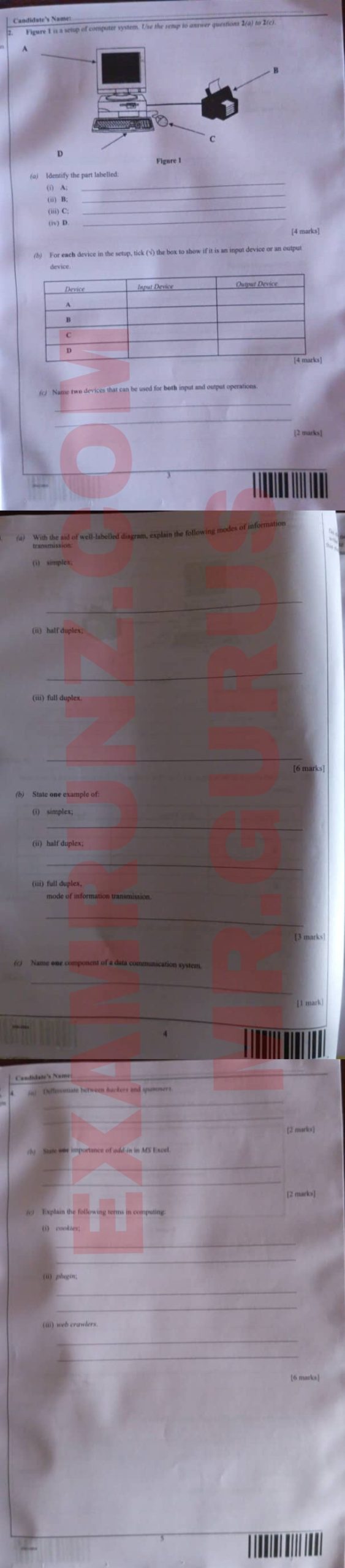
(3a)
(i) Simplex is a mode where data flows in one direction only,
from sender to receiver, like a radio broadcast.
(i) Half duplex allows data to flow in both directions, but not
simultaneously, like a walkie-talkie where only one party
speaks at a time.
(ii) Full duplex enables data to flow in both directions
simultaneously, like a telephone conversation where both
parties can talk and listen at the same time.
(3b)
(i) simplex:
Television broadcasting,
(i) half duplex:
Internet chat.
(ii) full duplex:
Telephone call
(3c)
Transmitter.
(5a)
Presentation software.
(5b)
(i) Click on the “Home” tab on the ribbon.
(ii) Click on the “New Slide” button.
(iii) Choose a slide layout from the dropdown (if needed).
(iv) A new slide will be added to the slide panel.
(5bii)
(i) Select the slide you want to delete from the slide panel.
(ii) Right-click on the selected slide.
(iii) Click “Delete Slide” from the context menu.
(5c)
(i) Microsoft PowerPoint
(ii) Google Slides
(5d)
(i) Creating visual presentations for meetings, lessons, or speeches.
(ii) Designing slideshows with multimedia (text, images, videos) for communication.
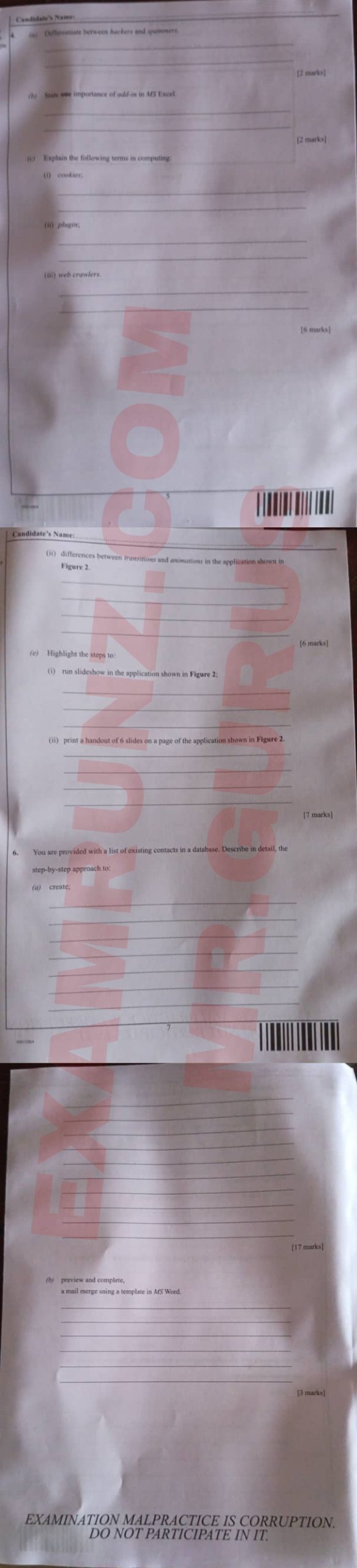
(6a)
(i) Open MS Word.
(ii) Click on the Mailings tab.
(iii) Select “Start Mail Merge” and choose the document type.
(iv) Click “Select Recipients” and choose “Use an Existing List.”
(v) Browse and select the database.
(vi) Insert merge fields using “Insert Merge Field.”
(vii) Place fields in the appropriate positions.
(viii) Format the document as needed.
(ix) Save the main document.
(x) Click “Finish & Merge.”
(xi) Choose “Edit Individual Documents” or “Print Documents.”
(xii) Select all or specific records to merge.
(xiii) Preview to confirm formatting.
(xiv) Finalize the merge process.
(xv) Save or print the final merged documents.
(xvi) Close the main document.
(xvii) Back up the database and merged documents.
(6b)
(i) Click “Preview Results” under the “Mailings” tab.
(ii) Browse through records using the navigation arrows.
(iii) Click “Finish & Merge” and select the desired output to print or save.
=====================================
NOTE: OUR SUBSCRIBED CANDIDATES RECIVES ANSWERS BEFORE EXAM STARTS
2025 Waec Authentic Data Processing Answers
2025 Waec Authentic Data Processing Answers
2025 Waec Authentic Data Processing Answers
2025 Waec Authentic Data Processing Answers
2025 Waec Authentic Data Processing Answers
2025 Waec Authentic Data Processing Answers
2025 Waec Authentic Data Processing Answers
2025 Waec Authentic Data Processing Answers
2025 Waec Authentic Data Processing Answers
If you found this post helpful or have any questions, please leave a comment below.