
JAMB Exam Slip Printing for 2026 UTME – Simple guidelines to get yours
The JAMB Exam Slips for the 2026 UTME are now officially ready. All candidates are advised to print their exam slips before 15th April to ensure they confirm the actual date of their exam to avoid missing their dates.
Candidates can print their slips via the e-service Portal. Each candidate must ensure they print their slip before 15th April to avoid missing their exam. We have provided below the steps to print your exam slip via the official portal.
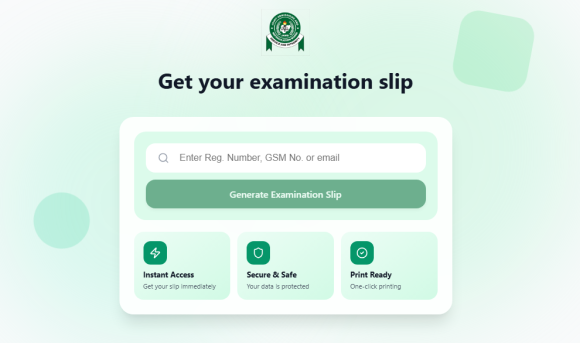
The exam slip portal is currently unstable and, in many cases, inaccessible. However, we have recorded numerous successful attempts by candidates
Please keep trying repeatedly until you are successful.
Steps To Print 2026 UTME Slip
- Visit: https://slipsprinting.jamb.gov.ng/main-examination
- Enter your JAMB Reg Number, the Phone Number or email address used in registration, where required
- Click on “Print Examination Slip” and proceed to view and print yours.
Alternatively;
- Login to your personal JAMB portal at this link; https://efacility.jamb.gov.ng/
- Enter your email address and password to login
- Click on “Print UTME main examination slip” on your dashboard and you should be good to go.
If it does not work, you can try again later. The portal may be slow or you may find it difficult to access it right now because of lots of requests from all JAMB candidates. In this case, you can try again late at night.
When you successfully see your exam slip, kindly let us know which one worked for you in the comments section to help other candidates access their own exam slips.
Don’t forget that our jamb exam runs Subscription is still ongoing for candidates that needs our help to score up to 300 in jamb Click Here For more Details
JAMB Exam Slip Printing for 2026 UTME – Simple guidelines to get yours
JAMB Exam Slip Printing for 2026 UTME – Simple guidelines to get yours
Be the first to comment